January 2026 Edition
January’s product release updates were focused on streamlined workflows allowing advisors to integrate plan details more easily into their day-to-day processes and home offices to simplify advisor operations in Pontera. Highlights include our Orion Eclipse integration, enhanced plans-view, & order cancellation.
Clearer workflows for firms. Increased efficiency for advisors.
January’s product enhancements focused on streamlined workflows allowing advisors to integrate plan details more easily into their day-to-day processes and home offices to simplify advisor operations in Pontera.
Highlights include:
Orion Eclipse integration
Enhanced plans view visibility
Less manual user + client account administration, and more control inside the workflows firms already run
As always, your direct feedback helped to shape many of these enhancements including greater flexibility for auto-rebalance and email based notifications round fund investment line up changes.
Highlights for advisors & portfolio managers
Unify your workflow & get single pane of glass visibility with the Pontera’s Orion Eclipse Integration
The Orion Eclipse × Pontera integration brings held-away accounts, such as 401(k)s, into the same workflows advisors already use to build, oversee, and rebalance portfolios.
Provide truly holistic, tax-aware advice: Manage all household assets together, optimizing tax efficiency to achieve overall financial goals.
Offer broader investment strategies: Streamline research, models, and rebalancing with held-away assets integrated, saving you time.
Gain greater efficiency: Combine Pontera’s 401(k) capabilities with Eclipse’s automated, tax-smart rebalancing.
Rebalance at scale: Rebalance across 100 orders * at once through Pontera. Simply upload the order file from Orion.
Connect with a representative to start using the integration
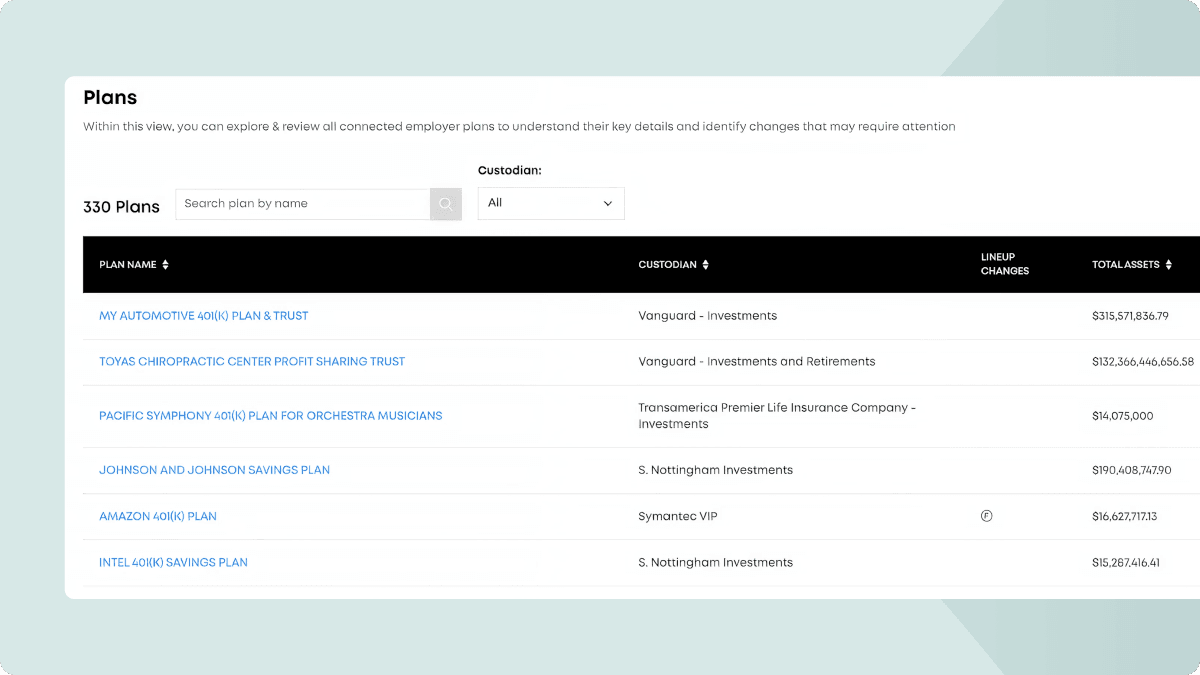
Save time reviewing employer plans in one place
Plans view helps advisors and home office teams quickly understand connected employer plans without opening accounts one by one.
Instead of digging through individual accounts, teams can review fund lineups and plan details in a single view. That means less manual clicking, faster insights, and more time spent on planning, not searching.
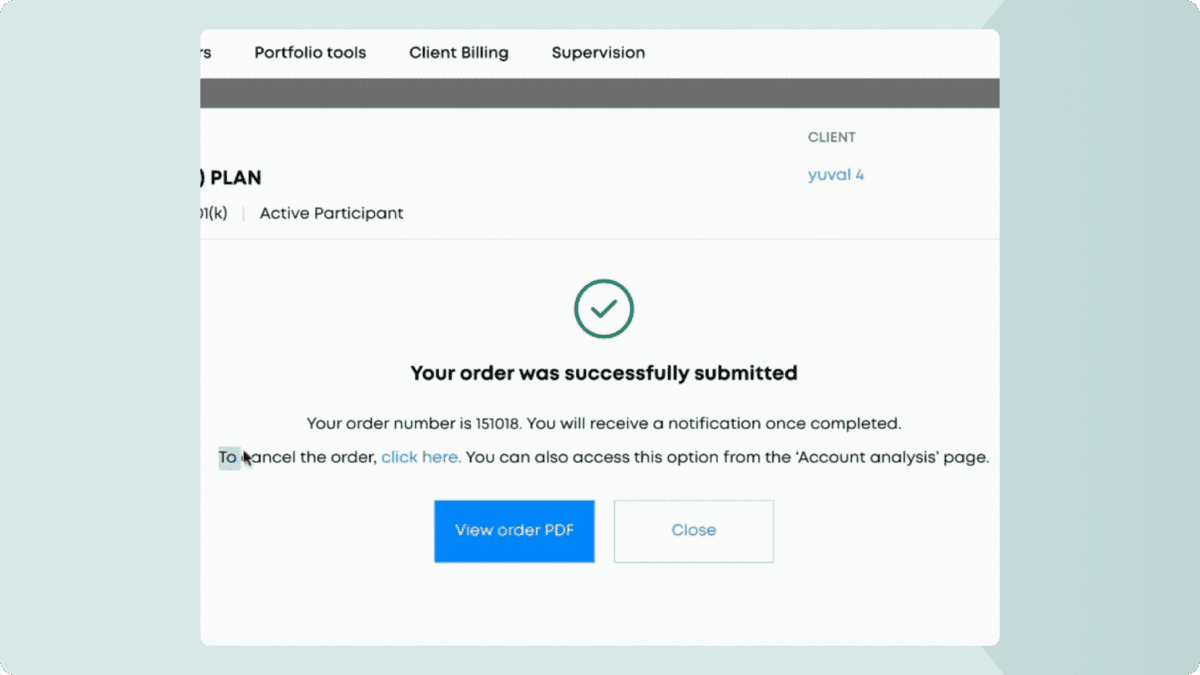
Submit an order that needs revisions? Leverage Order Cancellation
Users can now cancel submitted orders directly within Pontera, giving advisors more control inside the platform and reducing back-and-forth with support.
The default cancellation window is 45 minutes and can be customized by firm.
Enable order cancellation for your firm
Note: Your admin must request that this is turned on for your firm. Feel free to send them the link above to do this.
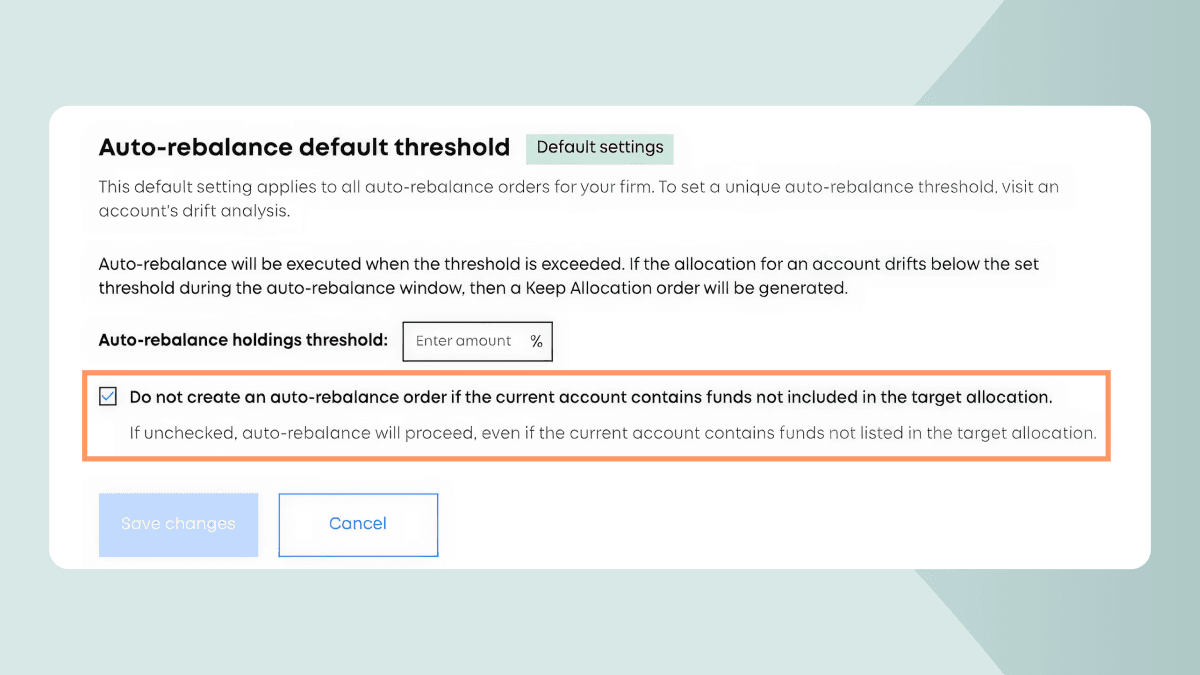
Greater flexibility in auto-rebalance use
Today when the existing holdings don’t match the target allocation, auto-reblancinging is blocked to protect you and your team from unexpected trades. While this protection has good intentions, we’ve heard your feedback that this doesn’t take into account situations where accounts contain extra funds or legacy positions. So, we’ve introduced a new configurable setting, offering you greater flexibility in how you use auto-rebalance.
Learn more about this setting & how to implement it
Get notified about fund-investment lineup changes
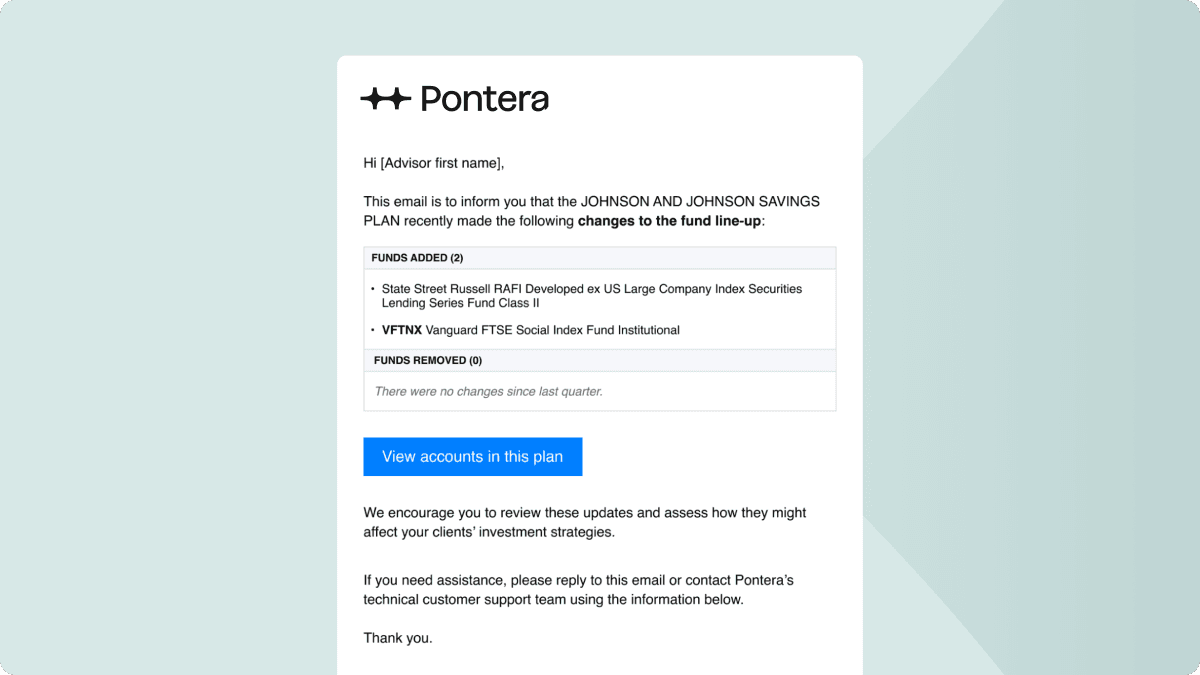
Notifications within the platform are helpful, but you’re not always logged in. And, when fund investment line-ups change, you need to stay on top of them. So we’ve carried these notifications out of the platform and delivered them to your inbox including names, types of changes, and a button that will take you directly to the Accounts Tab in your Pontera instance.
Feature highlights for home office teams
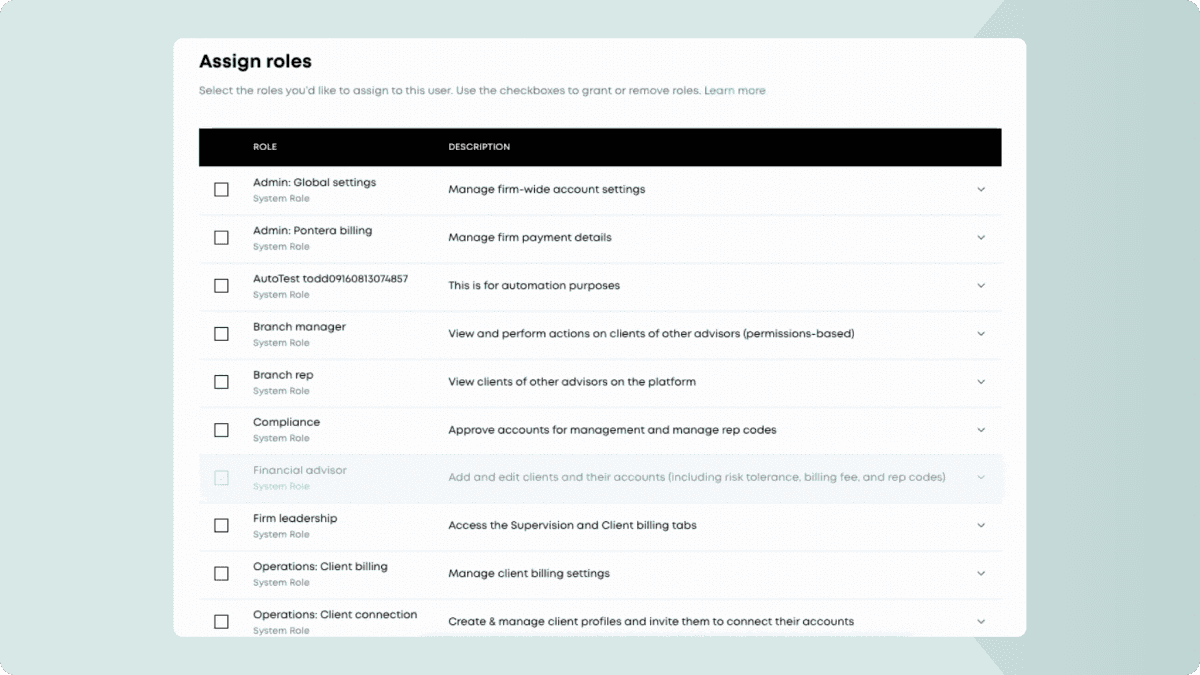
Set permissions instantly: Assign and edit roles
Firm admins can now assign and update user roles directly in Pontera.
There’s no longer a need to pick up the phone or send an email just to manage permissions for your users. We’ve developed a cleaner way to keep permissions aligned with how your team actually works.
Learn how to edit roles + view our recommendations via our Choosing roles for your firm guide
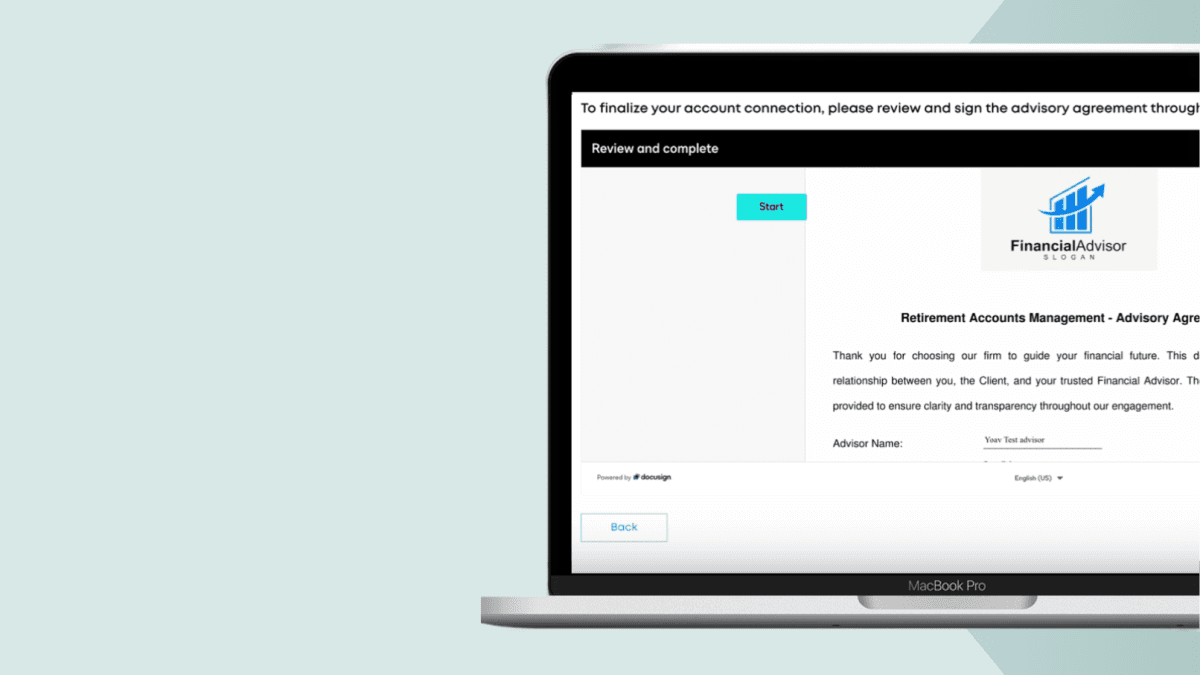
Simplify and streamline capture of client agreements with our Docusign integration
Firms can now use an embedded DocuSign flow for account linking and agreement signing in a single session.
Templates, branding, and storage remain in your firm’s DocuSign instance. For clients, that means fewer handoffs. For advisory teams with centralized agreement workflows, it means less manual follow-up and a more consistent onboarding flow.
This is a premium feature and requires technical setup with your firm.
Interested in adding this to your Pontera instance?
Learn how to enable this for your firm here or email support@pontera.com