Greater autonomy for firms. Improved scannability for advisors.

March’s product enhancements empowered firm administrators with self-service tools and optimized the advisor experience through cleaner, more intuitive data views. These updates reduce operational bottlenecks and allow your team to focus more on client strategy and less on administrative coordination.
Highlights include:
Support for NFL accounts
Enhanced SDBA fund selection capabilities
Self-service user creation and role administration
Streamlined accounts and clients table layouts
As always, your direct feedback helped to shape these enhancements, including greater flexibility for auto-rebalance and email-based notifications around fund investment line up changes.
Highlights for advisors & portfolio managers
Connect more workplace retirement accounts: NFL accounts now supported
We’re pleased to add NFL* to our supported list of custodians, expanding the scope of eligible accounts advisors can connect to Pontera.
Advisors can browse or search supported institutions directly in the platform via the supported custodians tab. Have another institution you want us to support? You can submit a request right in the platform.
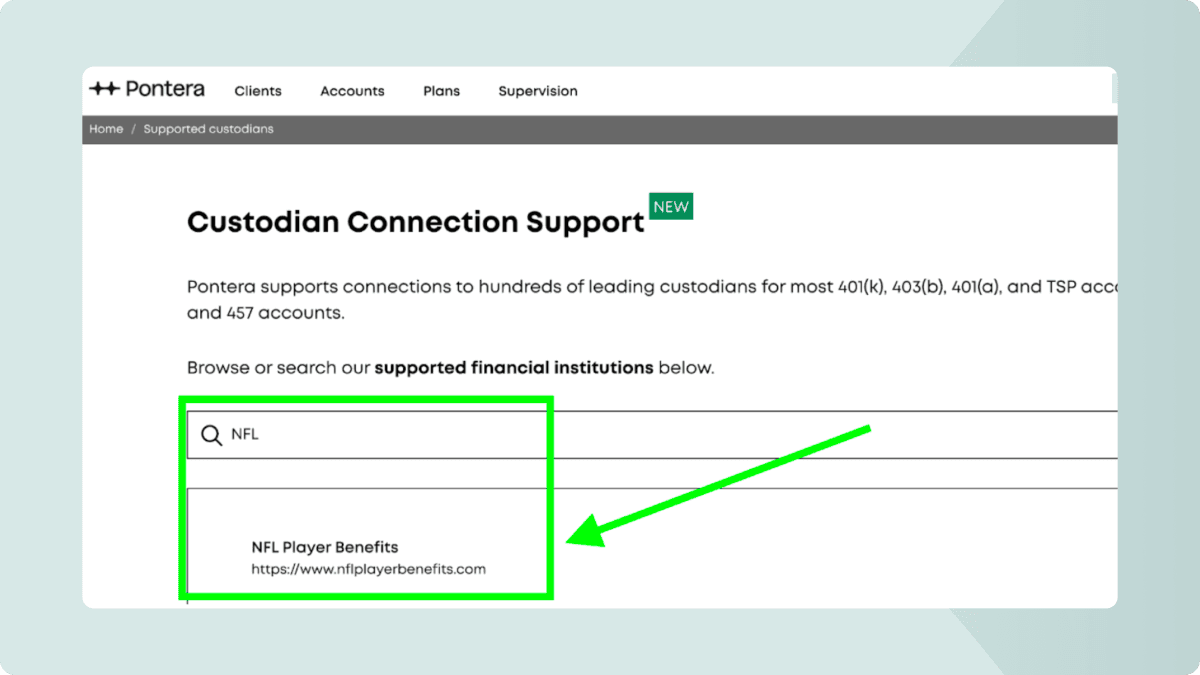
*The use of any plan sponsor name is for illustrative purposes only. It does not imply an endorsement, partnership, or contractual relationship between the plan sponsor and Pontera.
Read about supported account connections
Improved accuracy for SDBA oversight
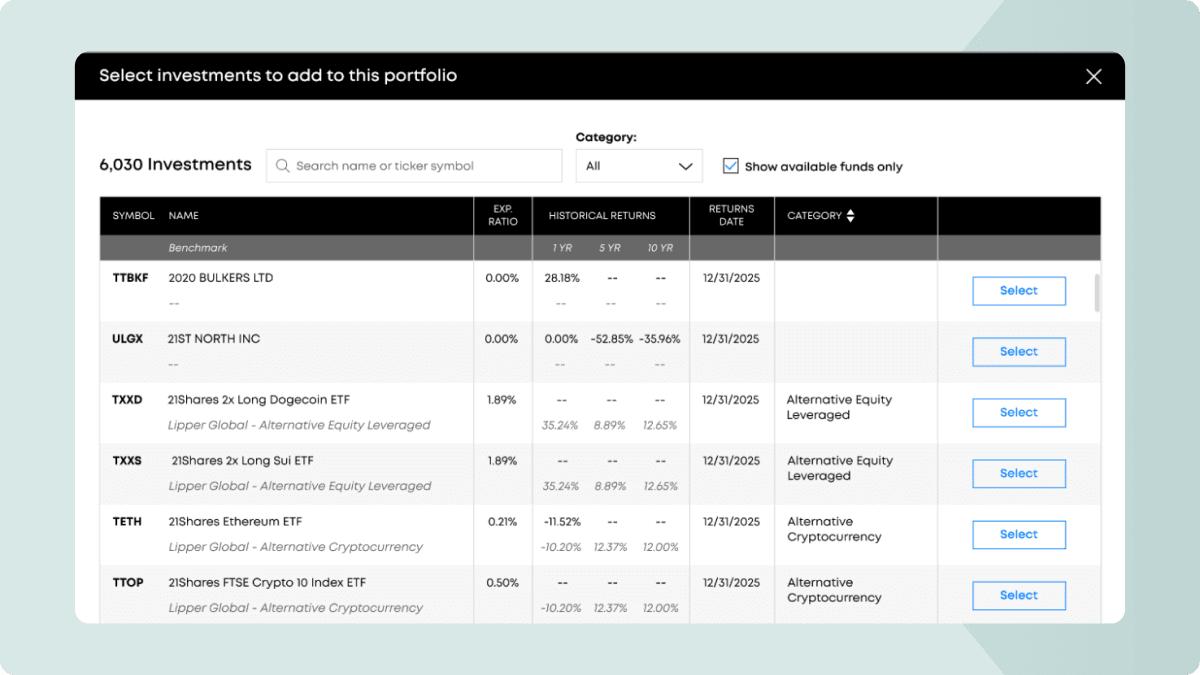
As SDBAs become more common in advisor workflows, we’ve introduced two enhancements to the “Add holdings” process to improve usability:
Available funds filter: A new “Display only available funds” checkbox (on by default) ensures you only see selectable funds.
Category filtering: You can now narrow fund lists by category, working in tandem with existing search and sort tools to speed up fund selection.
Learn how to review account holdings
Scan accounts and clients with greater ease
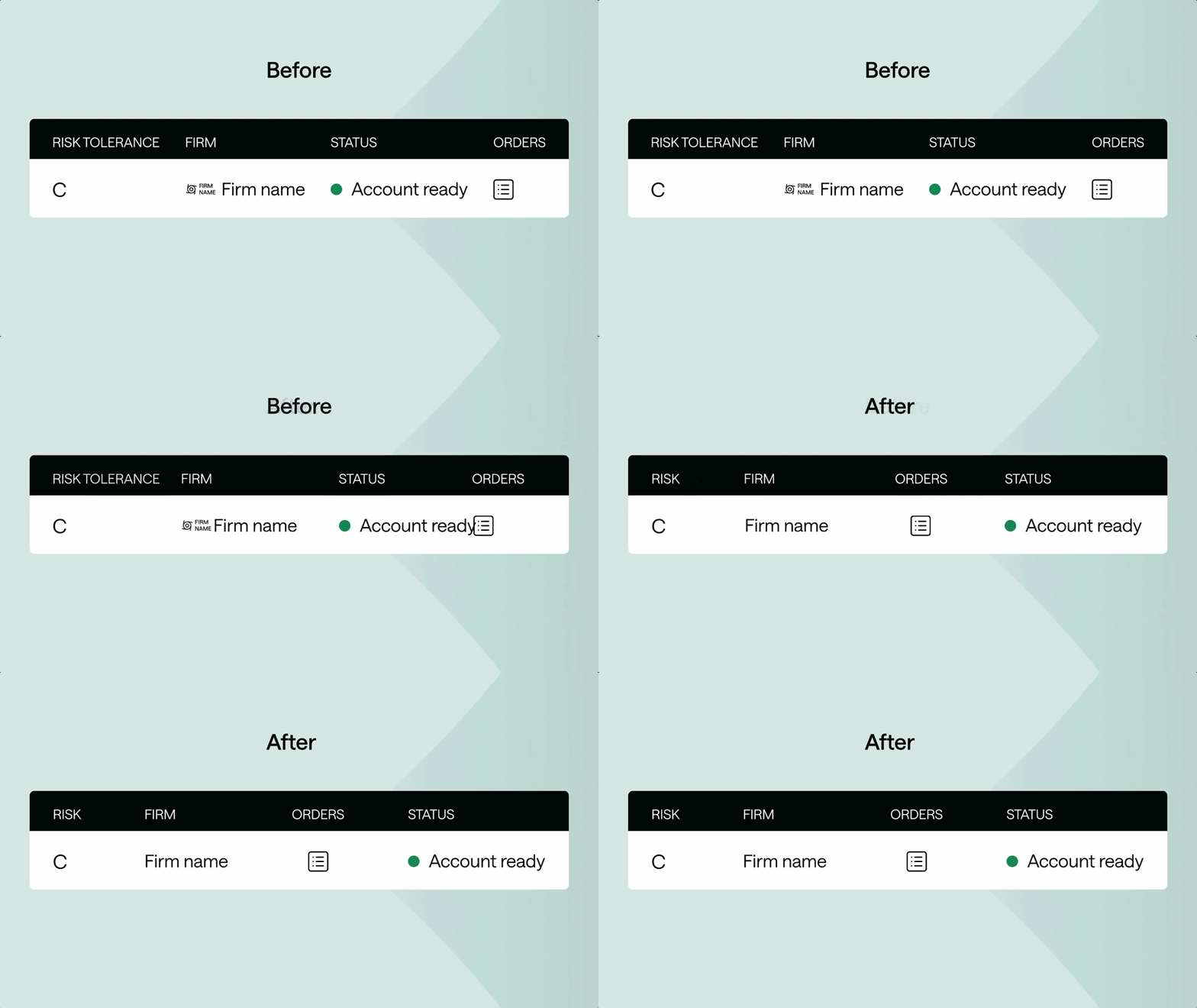
We’ve refreshed our primary table views to reduce visual clutter and make key information easier to find at a glance.
Reorganized accounts page: We renamed “Risk tolerance” to “Risk” and moved the Orders icon to make actions more discoverable. These changes improve readability when managing large datasets.
Cleaner clients view: For rollup organizations, we removed small firm logos that created unnecessary noise, allowing for a simplified and faster scanning experience across child orgs.
Feature highlights for home office teams
Create users and assign roles instantly
Firm admins no longer need to rely on manual requests to manage their teams.
Self-service user creation: Admins can now create new users directly within the platform via the “Add user” button, significantly reducing onboarding time.
Transparent permission levels: To ensure security and accuracy, the new flow includes a "Confirm Roles Selection" popup. This clearly outlines what a user can view and do before you save the changes.
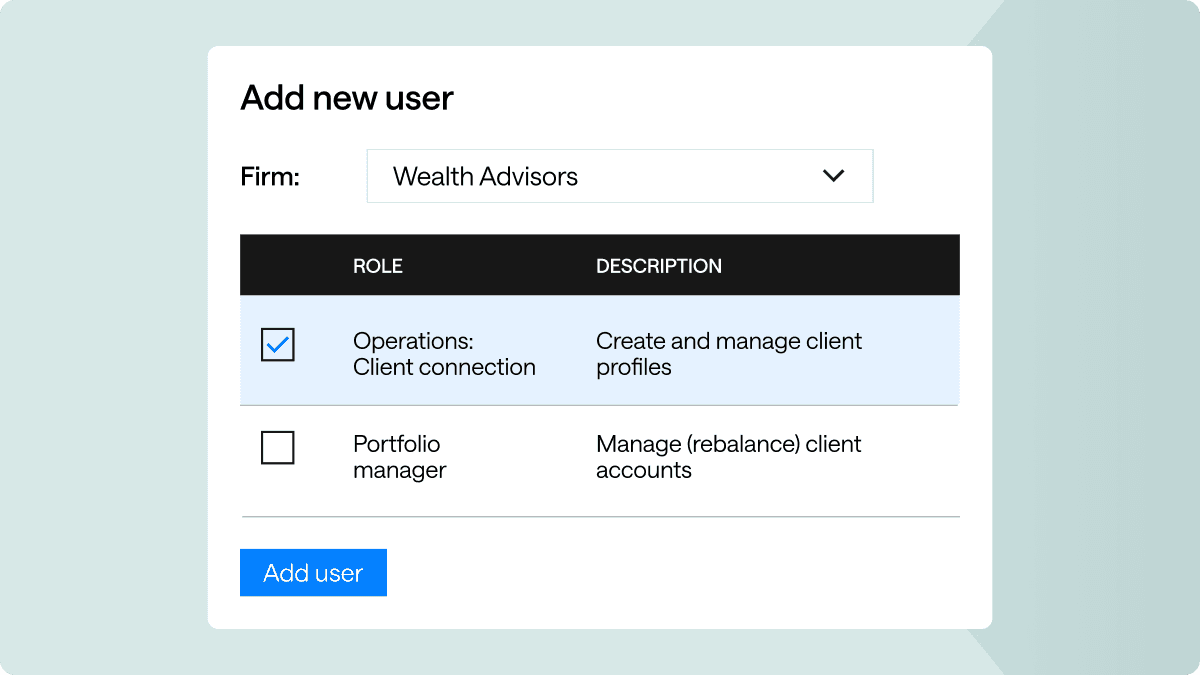
Note: This is currently only available for firms without SCIM and who are not using groups. Coming soon for these groups over the coming weeks.
Learn more about the various role types & their permissions + how to administer users.
Need guidance on where to start? Check out our choosing roles for your firm guide.