Advanced administrative control. Streamlined billing for home offices.

February’s product enhancements refined administrative oversight and simplified financial operations for home office teams. We’ve introduced more granular billing oversight and enhanced role comparison tools to provide home offices with better command over their firm’s workflows and transparency into their Pontera experience.
Highlights include:
Enhanced billing transparency: New support for multiple billing contacts.
Administrative efficiency: Advanced filters for role comparisons and clearer overdue invoice alerts.
Refined firm administration: Updated self-service invoice details and dynamic visibility into billing breakdowns.
As always, your direct feedback helped shape these enhancements, including clearer guidance for administrative setup and improved visibility into payment methods.
Feature highlights for home office teams
Enhanced visibility into firm payment types
We have improved the "My payment method and invoice" section of the platform to provide better clarity on how your firm handles payments. Firms paying via wire or check can now update their own invoice details—such as address and email—and switch to ACH or credit card directly, reducing the need for manual support requests.
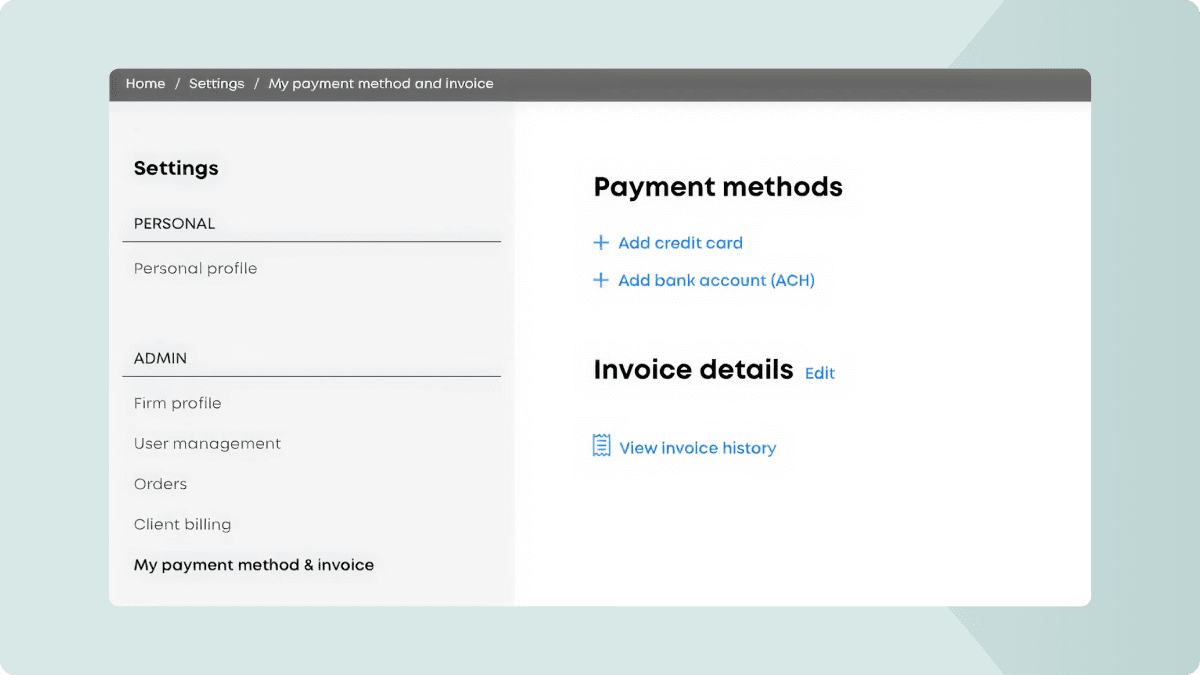
Learn how to update your payment method
Support for multiple billing contacts
To accommodate firms that require invoices and billing communications to be sent to multiple stakeholders, you can now define a primary billing contact and add additional recipients directly in the "Edit invoice details" form. This ensures all relevant team members stay informed without manual forwarding.
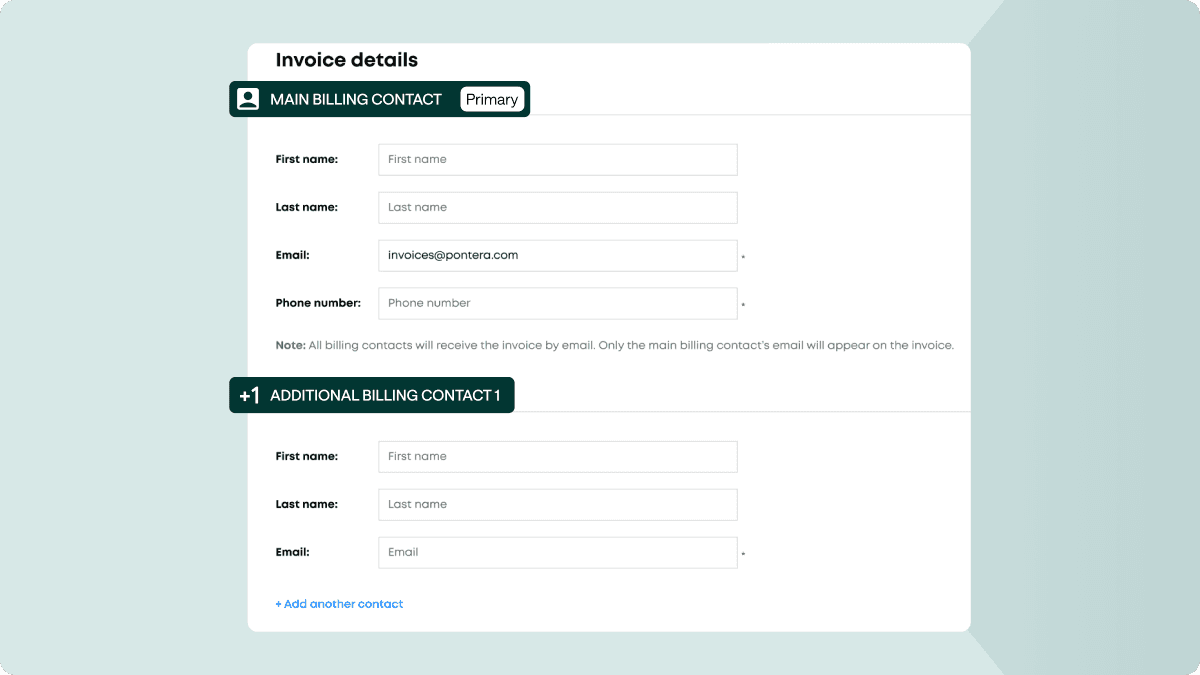
Learn how to update and add billing contacts
Overdue invoice alerts
To ensure timely visibility into account status, a new billing banner has been added to the product. This banner notifies home office users immediately if they have an overdue invoice, ensuring transparency and helping to maintain uninterrupted service for the entire firm.

This is defaulted to on for all firms. If you have any questions, reach out to support@pontera.com.
Advanced filtering for roles and permissions
Managing complex permissions across various system and custom roles is now more intuitive. We’ve added "Roles" and "Permissions" filters to the comparison page, allowing admins to narrow their view and focus on specific differences when fine-tuning responsibilities and permission levels across the organization.
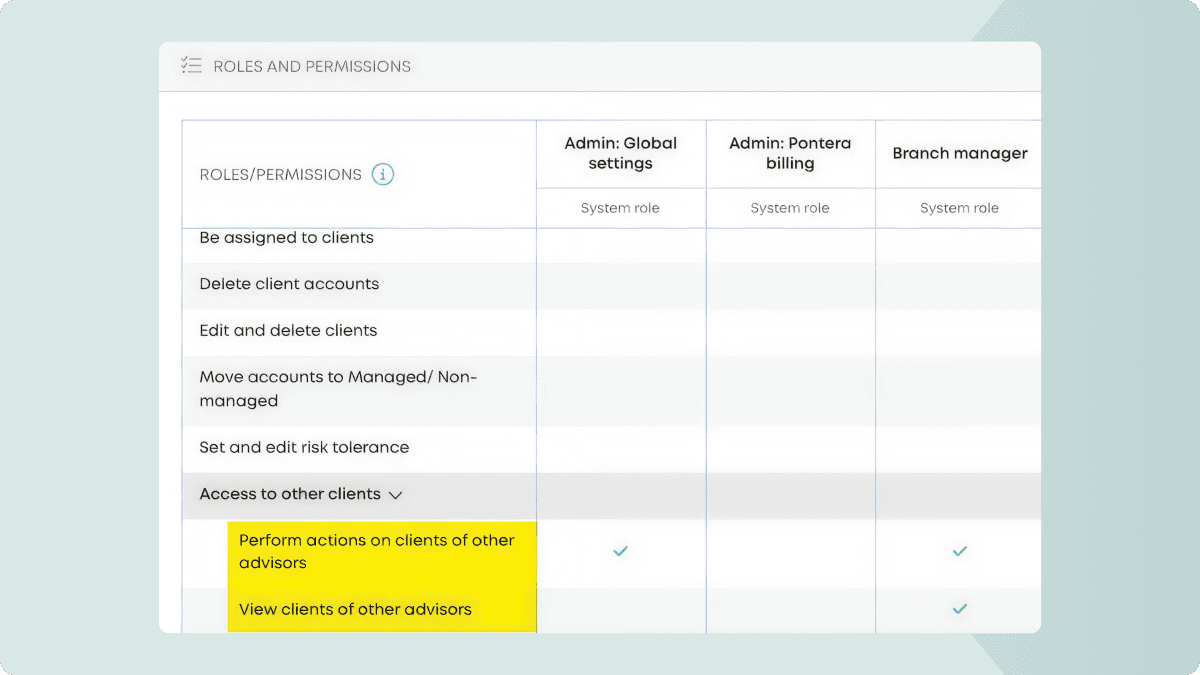
Learn more about the various role types & their permissions + how to administer users.
Need guidance on where to start? Check out our choosing roles for your firm guide.